Smart Locks for Airbnb: How to Choose, Install, and Manage Guest Access

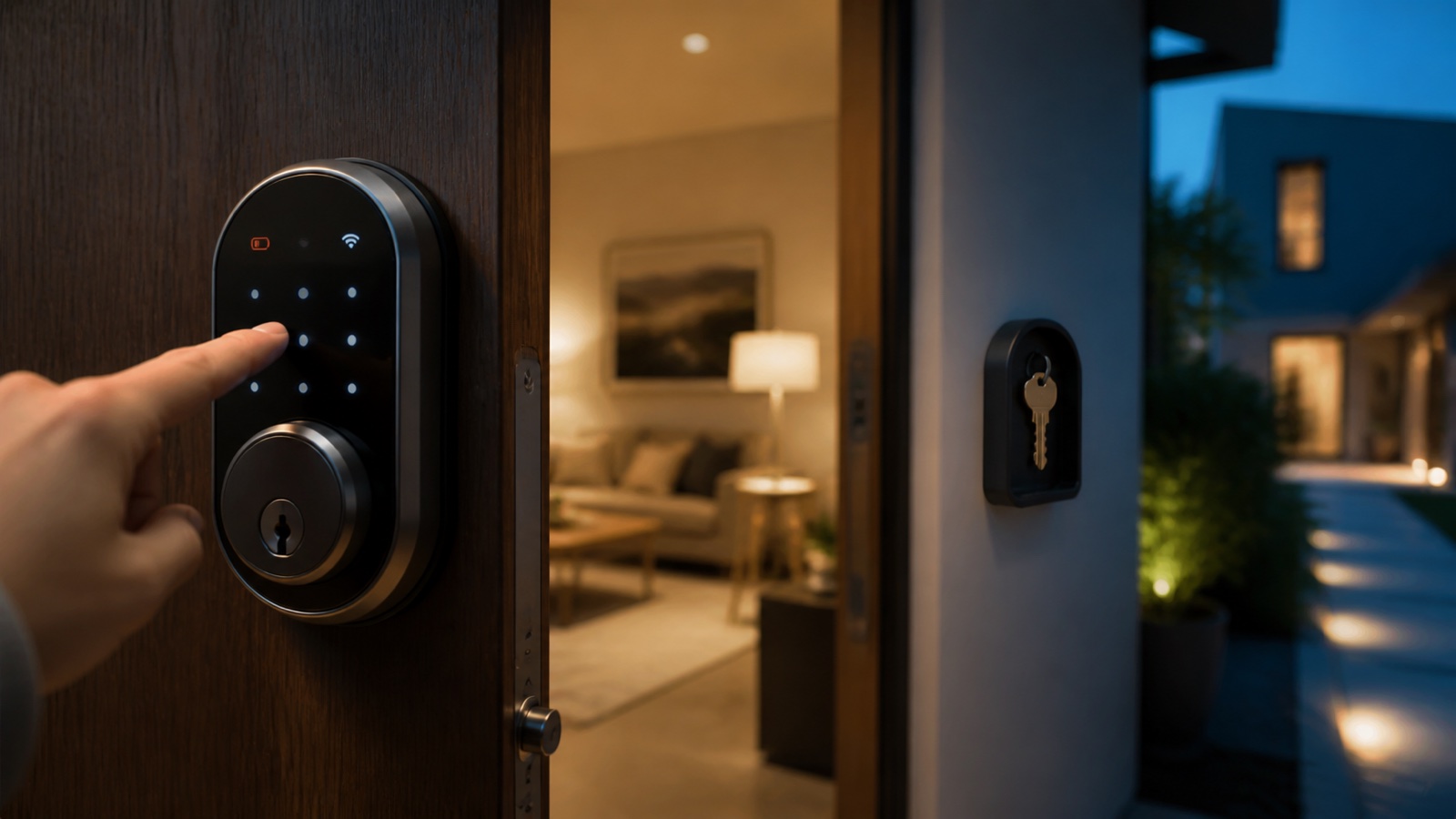
A smart lock can remove key handoffs and create time-limited access, but it also introduces batteries, connectivity, door compatibility, account security, and failure recovery. This guide explains smart locks for Airbnb, including how to choose hardware, install it, manage guest and cleaner codes, and prepare for lockouts.
What is a smart lock for a vacation rental?
A smart lock is an electronic lock that allows access through a keypad, app, credential, or connected automation. For short-term rentals, the most useful capability is usually a unique code that activates for the reservation window and expires after checkout.
Airbnb currently offers native connections for selected Schlage, Yale, and August models in the United States and Canada. Its official smart-lock guide states that compatible locks require Wi-Fi and a keypad or touchscreen; Bluetooth-only models are not supported by that integration.
How to choose a smart lock
Door and hardware compatibility
Measure door thickness, backset, bore holes, deadbolt type, frame alignment, handing, exterior exposure, and clearance. A smart motor cannot compensate for a door that must be pushed or lifted to latch. Repair mechanical alignment first.
Guest access method
Prefer a clear keypad experience that does not force guests to install an app. Check code length, illumination, lock confirmation, accessibility, language-independent instructions, and behavior after repeated incorrect entries.
Connectivity
Determine whether the lock uses built-in Wi-Fi, a bridge, Bluetooth, Thread, Z-Wave, or another hub. Ask what continues to work when internet service fails. Local keypad access should not depend entirely on a cloud connection.
Integration and booking channels
If you use Airbnb’s native integration, confirm model and regional eligibility. Multi-channel hosts may need a PMS or smart-access platform that can create codes for Airbnb, Vrbo, Booking.com, and direct reservations from one source.
Power and emergency entry
Review battery type, low-battery alerts, expected replacement procedure, external emergency power, physical key override, and access to the backup key. Never store a plainly labeled backup key next to the door.
Security and account controls
Use unique accounts, multi-factor authentication where supported, least-privilege access, code expiration, activity review, and prompt removal of former staff. Do not reuse one permanent guest code.
Installation checklist
- Confirm local rules and building or owner permission.
- Inspect and align the door and deadbolt.
- Verify model, dimensions, weather rating, and required hub.
- Install according to the manufacturer’s instructions.
- Test locking with the door open, then closed.
- Update firmware and secure the administrator account.
- Create separate host, cleaner, maintenance, and test codes.
- Connect the booking platform only after manual operation is reliable.
- Document the backup entry process.
How to manage guest access
Generate a unique code per reservation and limit it to the approved arrival and departure window. Account for early check-in or late checkout only after the reservation is updated. Send concise instructions that explain waking the keypad, entering the code, locking the door, and contacting support.
Cleaner and maintenance codes should be separate from guest codes and restricted to working windows. Review active credentials routinely. Logs can support investigation but should not be used for intrusive guest monitoring.
Smart-lock failure plan
- Keep spare batteries and the correct tools nearby.
- Provide a secure physical backup controlled by an authorized person.
- Document offline code creation or emergency power procedures.
- Maintain a local contact able to reach the property.
- Test support outside normal business hours.
- Never publish the backup method in general listing text.
Common mistakes
- Buying before measuring the door.
- Relying on Wi-Fi without testing offline keypad access.
- Using the same code for every guest.
- Sharing administrator credentials with cleaners.
- Ignoring battery and firmware alerts.
- Sending access before the reservation is confirmed and eligible.
- Having no staffed lockout plan.
Frequently asked questions
Which smart locks connect directly to Airbnb?
Airbnb currently documents compatible models from Schlage, Yale, and August for hosts in the US and Canada. Eligibility and model support should be checked in the Airbnb app.
Do guests need an app?
With compatible keypad integrations, guests can use a unique door code. Other locks or configurations may require an app, so verify the exact model and workflow.
What happens when Wi-Fi fails?
Many keypad codes can continue working locally, but remote changes and notifications may stop. Test the model’s offline behavior and maintain backup entry.
Is a smart lock safer than a lockbox?
It offers unique expiring credentials and remote management, but security depends on hardware, installation, account protection, code practices, and physical backup controls.
Conclusion
The best smart lock for Airbnb is compatible with the physical door, easy for guests, manageable across your booking channels, and supported by a tested failure plan. Automation is valuable only when local keypad access, batteries, account security, and emergency support are reliable.
Install and test the system before promising self check-in, then audit codes and backup procedures regularly.
Artigos Relacionados


Sobre o Autor

0 Comentários