Airbnb Security Camera Rules: What Hosts Can Monitor and Must Disclose

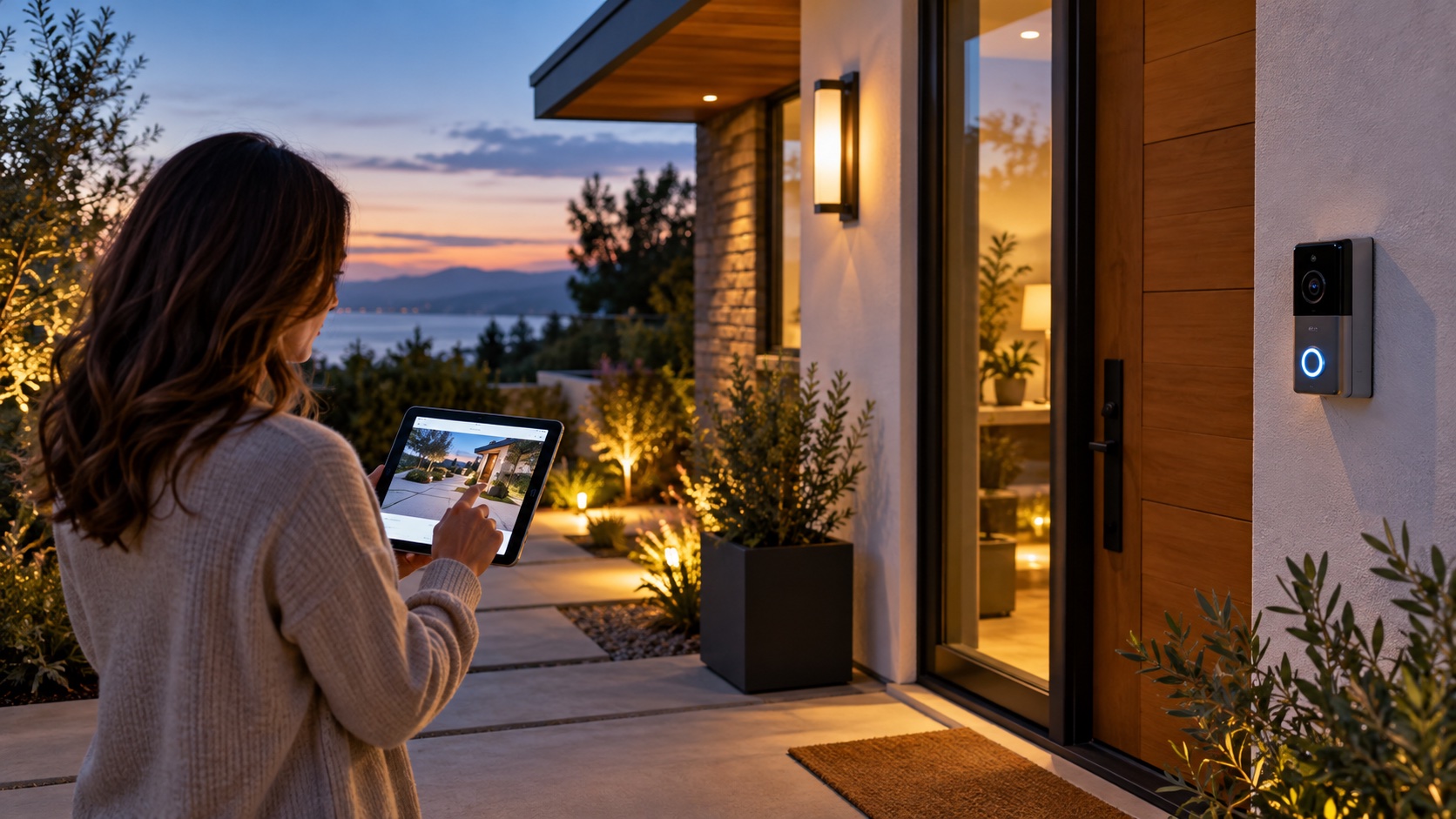
Airbnb security camera rules prohibit cameras and recording devices that monitor any indoor area of a home, even when a device is switched off or disconnected. Exterior cameras may be allowed when they follow Airbnb policy, are disclosed accurately, respect private areas, and comply with applicable privacy and surveillance laws.
This guide explains what hosts can monitor, where exterior devices should not point, how to disclose them, how to manage recordings, and what to do when a camera is no longer necessary. Platform rules and local law can change, so verify both before installing or operating any device.
What counts as a security camera on Airbnb?
Airbnb defines cameras and recording devices broadly. The category can include doorbell cameras, Wi-Fi cameras, baby monitors, webcams, mounted surveillance systems, and devices that record or transmit video, images, or audio. A device does not become acceptable merely because the host says it is inactive.
Do not confuse cameras with disclosed noise-decibel monitors. A compliant noise monitor measures sound level and duration without recording conversations. Review the separate noise monitoring guide for Airbnb hosts before using one.
Indoor cameras are prohibited
Airbnb’s current security camera policy does not allow home hosts to monitor indoor spaces. That includes hallways, living rooms, bedrooms, bathrooms, kitchens, shared common areas, and guest houses. The prohibition applies even when the camera is visible, disclosed, turned off, or disconnected.
Remove or physically uninstall an indoor recording device rather than relying on a software setting. Check old alarm panels, smart displays, computer cameras, baby monitors, and devices inherited from a previous owner. If a legitimate smart-home product includes a camera, confirm whether the camera can be removed and whether keeping the product conflicts with platform rules.
Where exterior cameras may be used
Exterior cameras may support entry security, driveway awareness, package delivery, or protection of equipment. A permitted purpose does not authorize unlimited coverage. The field of view should be restricted to the smallest area needed.
Common locations include:
- A doorbell camera aimed at the exterior entrance.
- A driveway camera covering vehicles and the approach.
- A camera over an exterior gate or service entrance.
- A device monitoring outdoor equipment when it does not capture private activity.
Airbnb does not allow exterior devices to monitor areas where guests have a greater expectation of privacy, such as the inside of an enclosed outdoor shower or a sauna. Hosts should also avoid angles that look through windows, capture neighboring private property unnecessarily, or follow guests across leisure areas without a proportionate reason.
How to disclose exterior cameras
A useful disclosure identifies every device, its general location, what it monitors, and whether it records video or audio. Add the disclosure through the listing’s safety-device settings and make sure the written description matches the real installation.
A practical disclosure might say: “An exterior doorbell camera is installed beside the front door and monitors the outdoor entrance and walkway. It records video when motion is detected.” Adjust the wording to the actual device. Do not describe a driveway camera if it also captures the pool gate or a shared corridor.
Review the disclosure after moving, replacing, activating, or removing hardware. A disclosure copied across several properties can be inaccurate when layouts differ.
Check local privacy and audio laws
Platform permission is not legal permission. Laws governing video surveillance, audio recording, biometric features, signage, data retention, employees, common areas, and neighboring property vary by country, state, and municipality.
Audio is particularly sensitive because consent requirements differ. If audio is not essential, consider disabling it after confirming the device and local requirements. Consult a qualified local professional when the law is unclear; do not treat a manufacturer’s default settings as legal advice.
Choose the narrowest useful camera view
- Write the specific risk the camera is intended to address.
- Choose a location outside the accommodation.
- Limit the frame to the entrance, gate, driveway, or asset involved.
- Mask neighboring windows, private yards, and irrelevant public areas where the device supports privacy zones.
- Test daytime, nighttime, infrared, zoom, microphone, and motion zones.
- Walk the guest route and check what the device actually captures.
- Match the final disclosure to the tested view.
Save a dated installation record with a photograph of the device and representative screenshots of its view. Recheck it after landscaping, construction, or a mounting adjustment.
Control access to camera accounts
A compliant camera can still create risk if the account is poorly secured. Use a unique password, multifactor authentication when available, named user access, and the minimum permissions required. Remove former employees, cleaners, owners, and vendors promptly.
Do not share one administrator login with an entire operations team. Record who may view live feeds, export clips, change settings, or delete footage. Keep account-recovery information current and secure the email address linked to the system.
Create a recording and retention policy
More footage is not automatically more protection. Decide why recordings are kept, how long they remain, who can access them, and when a clip may be preserved for an incident. Configure retention to that documented need and applicable law.
Do not download or share clips casually. When evidence may relate to damage, access, a safety event, or a platform report, preserve the original file, timestamps, device information, and a factual incident record. The Airbnb damage-claim evidence guide explains how to organize supportable documentation.
How to respond to a guest concern
Take a camera concern seriously and respond with facts. Identify the disclosed exterior device, its location, its field of view, and whether it records audio. Do not dismiss the guest or imply that privacy concerns indicate wrongdoing.
If a device is indoors, undisclosed, unexpectedly angled, or behaving differently from the listing, stop and investigate. Preserve relevant records, contact Airbnb when required, and obtain local advice before deleting possible evidence. Guest safety takes priority over defending the installation.
Examples of safer and riskier setups
Exterior front-door camera
A visible doorbell camera aimed only at the outdoor approach, accurately disclosed and configured under local law, may be acceptable. A doorbell camera that can see through a glass door into the living room requires correction.
Pool camera
Airbnb’s policy gives exterior pool monitoring as a disclosure example, but the host must still assess local law and guest privacy. Minimize coverage and avoid adjacent enclosed showers, saunas, windows, or unrelated private spaces.
Disconnected indoor camera
An unplugged indoor camera is still prohibited under Airbnb’s home policy. Remove it rather than covering it, turning it toward a wall, or relying on a software setting.
Common security-camera mistakes
Perform a privacy impact review before installation
A privacy review turns a general security idea into a defensible operating decision. Write the problem the device is meant to solve, the people and property that may be recorded, the information created, and less intrusive alternatives. A better lock, brighter path, gate sensor, or package box may address the risk without continuous video.
For every proposed camera, answer these questions:
- What exact event should the device detect or document?
- Could the same result be achieved without recording people?
- Which guest, worker, neighbor, delivery, or public areas enter the frame?
- Does the microphone collect conversations beyond the security purpose?
- Where is footage processed and stored?
- Which vendor, administrator, owner, or contractor can access it?
- How will the host respond if an account or device is compromised?
Document the decision and review it when the provider changes its service, introduces facial recognition, expands cloud analytics, or changes retention defaults. A feature added through a firmware update can alter the privacy profile even though the physical camera did not move.
Manage cameras during maintenance and vendor visits
Cleaners, landscapers, technicians, and inspectors may also be captured. Check employment, workplace, audio, and contractor-notice requirements. Tell workers about relevant exterior devices through an appropriate policy and never use cameras to replace safe supervision or timekeeping systems without review.
When a vendor temporarily moves a camera to paint, repair siding, or service the network, require the original view to be restored and retested. Treat a changed angle as a new installation. Review whether ladders, foliage, holiday decorations, or parked vehicles alter what the camera sees.
Build an incident-response procedure for recordings
Define what staff should do when a device captures possible trespass, damage, violence, theft, or a rule violation. The first step is always safety, not clip editing. Contact emergency services for immediate danger and avoid confronting people based only on an ambiguous notification.
Preserve the original recording and associated metadata when evidence is needed. Record who exported it, when, why, where the copy is stored, and who received it. Limit disclosure to legitimate recipients such as the platform, insurer, legal adviser, or authority. Do not post a guest’s image on social media to seek public judgment.
If the account is compromised, change credentials, revoke sessions and integrations, preserve logs, notify appropriate parties under applicable law, and assess whether guests must be informed. Include camera accounts in the property’s broader cybersecurity inventory.
Example camera decisions
Remote cabin driveway
The stated problem is unauthorized vehicles entering a long private drive. A single disclosed camera can be aimed at the gate and configured without audio. Trees and the camera angle block views of the deck and windows. Access is limited to the manager, footage is retained for a defined period, and the installer documents the field of view.
Apartment corridor
The corridor is controlled by the building, not the host. Before claiming or installing any device, the host checks building rules, ownership, local law, and Airbnb disclosure obligations. A host should not control shared-space surveillance merely because the listing door faces that area.
Pool area
The host wants safety awareness, but the camera would also capture guests relaxing. The privacy review considers whether a gate alarm, barrier inspection, and other non-recording measures address the objective. If a lawful camera remains justified, the field is minimized, the device is disclosed, and enclosed showers and indoor windows are excluded.
Benefits and limitations of exterior cameras
Appropriately designed exterior cameras can provide arrival visibility, deter some opportunistic behavior, and preserve evidence after a specific event. They can also fail, generate false alerts, create cybersecurity risk, capture innocent activity, damage guest trust, and expose the host to policy or legal consequences.
Evaluate success through relevant incidents and operational outcomes, not hours of footage collected. If a camera creates frequent alerts but never changes a decision, reduce the monitoring area or reconsider whether it is needed.
- Keeping an indoor camera because it is turned off.
- Disclosing “cameras on property” without identifying locations.
- Allowing an exterior camera to capture an indoor area.
- Leaving audio recording enabled without checking local law.
- Using a shared administrator password.
- Retaining footage indefinitely without a documented purpose.
- Moving a device without updating the listing.
- Posting guest footage publicly.
- Assuming a platform rule replaces legal review.
Security camera checklist for Airbnb hosts
- Inventory every device capable of recording or transmitting images or audio.
- Remove cameras from all indoor accommodation spaces.
- Confirm the business purpose of each exterior camera.
- Check platform rules and local surveillance laws.
- Limit the field of view and configure privacy zones.
- Test night vision, microphone, motion, and cloud settings.
- Disclose the location and monitoring accurately.
- Secure accounts with unique credentials and MFA.
- Define access, retention, export, and deletion rules.
- Review the installation after every physical or policy change.
Frequently asked questions
Can Airbnb hosts use cameras inside common areas?
No. Airbnb prohibits cameras and recording devices that monitor indoor areas of home listings, including shared common spaces, even if disclosed or turned off.
Are doorbell cameras allowed?
Exterior doorbell cameras may be allowed when they comply with Airbnb rules and applicable law, do not monitor private areas or indoor space, and are accurately disclosed.
Can a host watch guests arrive?
An appropriately placed and disclosed exterior entrance camera may capture arrivals. Access should have a defined security purpose, be proportionate, and comply with privacy law. Hosts should not monitor guests casually.
Must exterior cameras be disclosed if they are off?
Follow Airbnb’s current disclosure workflow and describe the device and whether it will be switched on or off. Removing an unnecessary device is clearer than leaving ambiguous hardware in place.
Can camera footage be used for a damage claim?
Relevant exterior footage may support an incident record, but it does not prove every fact by itself. Preserve originals and follow platform rules, privacy law, and the applicable claim process.
Final recommendation
Use exterior cameras only when a specific security need justifies them, and design the system around privacy from the beginning. Remove indoor cameras, minimize the exterior view, disclose every device accurately, secure access, and review retention.
Before the next reservation, compare the physical installation with the listing and Airbnb’s current policy. If they do not match, correct the device or disclosure before hosting.
Artigos Relacionados


Sobre o Autor
