Airbnb Backup Access Plan: What to Do When Smart Locks Fail

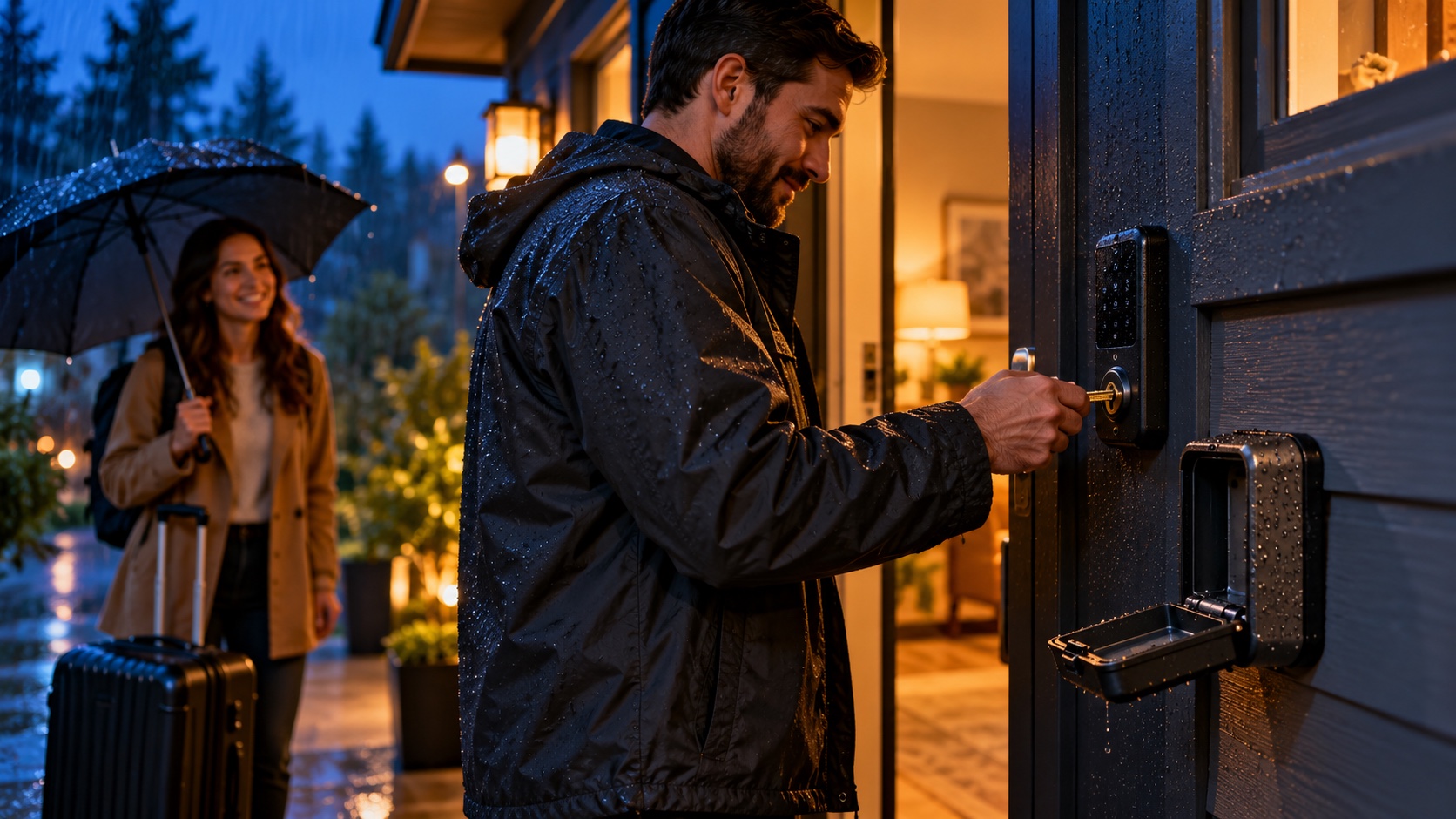
An Airbnb backup access plan is a tested procedure that lets an authorized person enter the vacation rental safely when the normal smart lock, keypad, app, internet connection, battery, or power supply fails. It should protect the guest from being stranded without weakening security for every other reservation.
This guide explains how to design primary and backup entry, store emergency credentials, assign local responsibility, respond to a lockout, test the system, and document every use. The goal is dependable access with the fewest exposed keys, codes, and accounts.
Why smart locks need a backup plan
Smart locks reduce key handoffs and can create reservation-specific codes, but they still depend on physical hardware, batteries, doors, credentials, configuration, and sometimes cloud or network services. A failure in any layer can block entry.
Common causes include:
- Dead or incorrectly installed batteries.
- A guest entering the wrong code or using the wrong door.
- A code created for the wrong time zone or reservation window.
- A misaligned door, swollen frame, or deadbolt under pressure.
- Lost phone service, Wi-Fi, power, or vendor-cloud availability.
- A keypad, motor, latch, or lock cylinder failure.
- An automation that did not receive a changed reservation.
- A co-host account with expired access or insufficient permission.
Airbnb’s safety requirements for homes say hosts should provide keys or access codes for the main entry, keep lockboxes and codes secure, and change codes between reservations. A backup plan must preserve that security expectation.
What a complete backup access plan includes
A practical plan has five layers:
- Guest troubleshooting: safe steps that solve common use errors.
- Remote administration: an authorized host can verify or replace credentials.
- Local response: a trusted person can reach the property within a defined expectation.
- Physical backup: a controlled key or alternate approved entry method.
- Repair and review: the failed component is fixed and the incident is documented.
No single layer should be treated as infallible. A spare key inside the home does not help a guest who cannot enter. A remote unlock does not help if the mechanism is jammed. A local contact is not a plan if no one has verified availability.
Design the primary access correctly
A backup plan cannot compensate for a poorly installed or poorly operated primary lock. Start with a lock suitable for the door, climate, usage volume, connectivity, and local code. Use professional installation when required.
Use reservation-specific access
Create unique credentials for each stay when the system supports it. Set activation and expiration with enough margin for the documented check-in and checkout process. Test how the system handles early arrival, extensions, same-day turns, time-zone changes, and canceled reservations.
Do not reuse one permanent guest code. If a vendor needs recurring access, create a separate credential with the minimum necessary schedule and review it periodically.
Monitor batteries and physical alignment
Replace batteries based on manufacturer guidance and actual operating evidence, not only after a low-battery guest report. Record the date and approved battery type. Inspect the strike plate, hinges, weather stripping, door closer, and deadbolt movement because mechanical resistance can resemble an electronic failure.
Test without relying on the app
During turnover, lock the door and complete an entry using the same method the next guest will use. Confirm the code, keypad response, latch, handle, and instructions. An app status that says “locked” does not prove a guest can open the physical door.
The broader selection and installation process is covered in Smart Locks for Airbnb: How to Choose, Install, and Manage Guest Access.
Create guest troubleshooting that is safe and short
Guests should not be asked to remove the lock, replace internal parts, climb through windows, force a door, or expose credentials in public. Provide only model-appropriate steps that do not damage the hardware.
A simple sequence can be:
- Confirm the guest is at the correct door and property.
- Verify the reservation name and approved arrival time.
- Ask the guest to enter the code once slowly using the documented sequence.
- If appropriate, ask them to pull or push the door gently while operating the lock to relieve normal pressure.
- Check whether the keypad shows a low-battery or error signal described by the manufacturer.
- Stop repeated attempts if the system may lock out or the hardware sounds strained.
- Move to remote or local backup rather than repeating the same failed instruction.
Use photos of the correct entrance and keypad in the arrival guide, but do not place active access codes in a public image. Airbnb notes that guests receive check-in information in their reservation details; keep those instructions current and specific.
Choose a secure physical backup
The physical backup may be a high-quality lockbox, secured key safe, staffed desk, building manager, co-host key, or emergency locksmith arrangement. The right choice depends on the property and local rules.
Lockbox considerations
Use a device appropriate for the environment and installation surface. Place it where authorized guests can reach it without advertising it to casual passersby. Do not attach it to prohibited building infrastructure or create an accessibility hazard.
The lockbox code should not be identical to the door code. Change it after use and on a defined schedule. Track who received it, why, and when it was changed. A permanent code sent to every guest is not a controlled backup.
Local key holder
A co-host or trusted local responder can protect the key and verify identity before handoff. Define coverage hours, travel time, compensation, escalation, and what happens if that person is unavailable.
Do not keep an unlabeled property address on the key ring. Store keys securely and inventory them. When a key is lost or custody is uncertain, evaluate rekeying rather than assuming it will never be used.
Building or front-desk access
Confirm that staff are actually authorized to help short-term rental guests. Provide the reservation or identity information they require, respect data-minimization rules, and document hours. A desk that closes before a late flight is not a complete fallback.
Protect administrator access
Remote recovery often depends on the lock account. Use unique passwords, multi-factor authentication where available, role-based access, and a controlled recovery method. Remove former employees, vendors, and co-hosts promptly.
At least one backup administrator should be able to manage the lock without sharing the primary host’s personal credentials. Test the backup account before it is needed. Record which phone number or authenticator controls account recovery and how ownership would transfer during an emergency.
Separate guest access from internal smart-home devices where possible. The Wi-Fi article scheduled in this series will address network segmentation, updates, and guest troubleshooting in more detail.
Build the lockout response workflow
The first objective is to place the verified guest somewhere safe while restoring access. Weather, time of night, children, mobility, luggage, and neighborhood conditions affect urgency.
- Respond immediately and acknowledge the problem.
- Verify the guest and property without requesting unnecessary sensitive data.
- Confirm whether anyone faces a medical, weather, or safety risk.
- Try one concise primary-access check.
- Issue a replacement code or remote unlock if the system and identity check allow it.
- Deploy the physical backup or local responder.
- Arrange a qualified locksmith or repair provider if the mechanism has failed.
- Communicate an honest update and next decision time.
- Document access restored, credentials exposed, and follow-up required.
Keep messages in the booking platform when practical, but do not delay help to create a perfect record. The guest messaging automation guide explains when an issue must leave automation and reach a human.
What to do when access cannot be restored quickly
Do not promise a repair time you do not control. Provide a clear update, a safe waiting option where feasible, and escalation based on the reservation, platform policy, local conditions, and guest needs.
If the home cannot be accessed, the host may need to work with the booking platform on cancellation, rebooking, or refund options. Document reasonable expenses and communication. Review insurance and contracts in advance; do not assume a smart-lock subscription, manufacturer warranty, platform protection, or homeowner policy covers the guest impact.
Never direct a guest to force a window, door, gate, or garage. That can cause injury, property damage, security alarms, and conflict with neighbors or authorities.
Coordinate smart locks with reservation changes
Test how the access system receives date changes. A modified checkout, extension, or same-day reservation may not update if an integration is disconnected or a code was created manually.
Create an exception checklist for:
- Early check-in approved after the code was generated.
- Late checkout or stay extension.
- Reservation date change.
- Guest change or additional authorized occupant.
- Lock replacement during an active booking.
- Internet or property power outage.
- Vendor entry while guests are away.
For every exception, confirm both the digital schedule and a physical test. The article How to Prevent Double Bookings describes the same principle for reservation data: synchronization must be monitored, not assumed.
Test the backup access plan
Run a tabletop exercise and a physical test without locking yourself out. Simulate a dead keypad, offline cloud service, jammed bolt, unavailable co-host, and late-night arrival.
Verify:
- The support number is answered.
- The backup administrator can sign in.
- The local responder has the correct key.
- The lockbox opens and the key operates the door.
- The guest instructions identify the right entrance.
- The locksmith covers the property and relevant hours.
- Codes can be changed after backup use.
- The incident record captures the necessary facts.
Record each test in the maintenance log, including batteries, alignment, credentials, key custody, and corrective work.
Common backup-access mistakes
- Keeping the only spare key inside the locked property.
- Using one permanent lockbox code for all guests and vendors.
- Relying on remote unlock when hardware can jam.
- Sharing the primary administrator password with the whole team.
- Leaving former staff or vendors on the lock account.
- Testing the app but not the actual door.
- Sending guests repeated troubleshooting steps while they wait outside.
- Failing to change credentials after emergency use.
- Closing the incident without repairing the root cause.
Airbnb backup access checklist
- Choose a lock suited to the door, climate, and usage.
- Use unique, reservation-specific guest credentials.
- Create a separate role for vendors and staff.
- Maintain batteries and physical door alignment.
- Test guest entry during each turnover.
- Write a short, safe troubleshooting sequence.
- Assign a backup administrator with secure authentication.
- Select a controlled physical key method.
- Name a local responder and backup.
- Verify locksmith coverage and building rules.
- Document the lockout escalation and guest support process.
- Change exposed credentials after every backup use.
- Record the incident and verify the repair.
- Test the complete plan periodically.
Frequently asked questions
Do Airbnb smart locks work without Wi-Fi?
Some locks can validate previously programmed codes locally, while remote management or new code delivery may require connectivity. Behavior varies by model and configuration. Test the exact lock and integration rather than relying on a general assumption.
Where should a backup key be stored?
Use a secure, lawful, controlled location accessible to an authorized responder or verified guest. Options include an appropriate lockbox, key safe, building desk, or local key holder. Do not expose the property address on the key.
Should the guest receive the lockbox code in advance?
Usually the emergency credential should be released only when needed after verification. If it is routinely shared, it is no longer a controlled backup. Change it after use and document who received it.
How often should smart-lock batteries be replaced?
Follow manufacturer guidance and operating history. Temperature, usage, battery type, wireless activity, and lock resistance affect life. Replace proactively and record the date; do not rely only on an app estimate.
Can a cleaner be the backup key holder?
Yes, if the role is agreed, compensated where appropriate, secure, and supported by a second fallback. Confirm availability outside turnover hours and define identity verification and key custody.
Final recommendation
A reliable Airbnb backup access plan combines secure digital administration, a controlled physical key, a reachable local responder, and a tested repair path. It gives guests a fast solution without distributing permanent credentials or lowering security.
Test the door, not just the app. After every lockout, change exposed access, repair the cause, and update the instructions so the same failure is less likely to strand the next guest.
Artigos Relacionados

Sobre o Autor
