Vacation Rental Maintenance Log: How to Track Inspections, Repairs, and Vendor Work

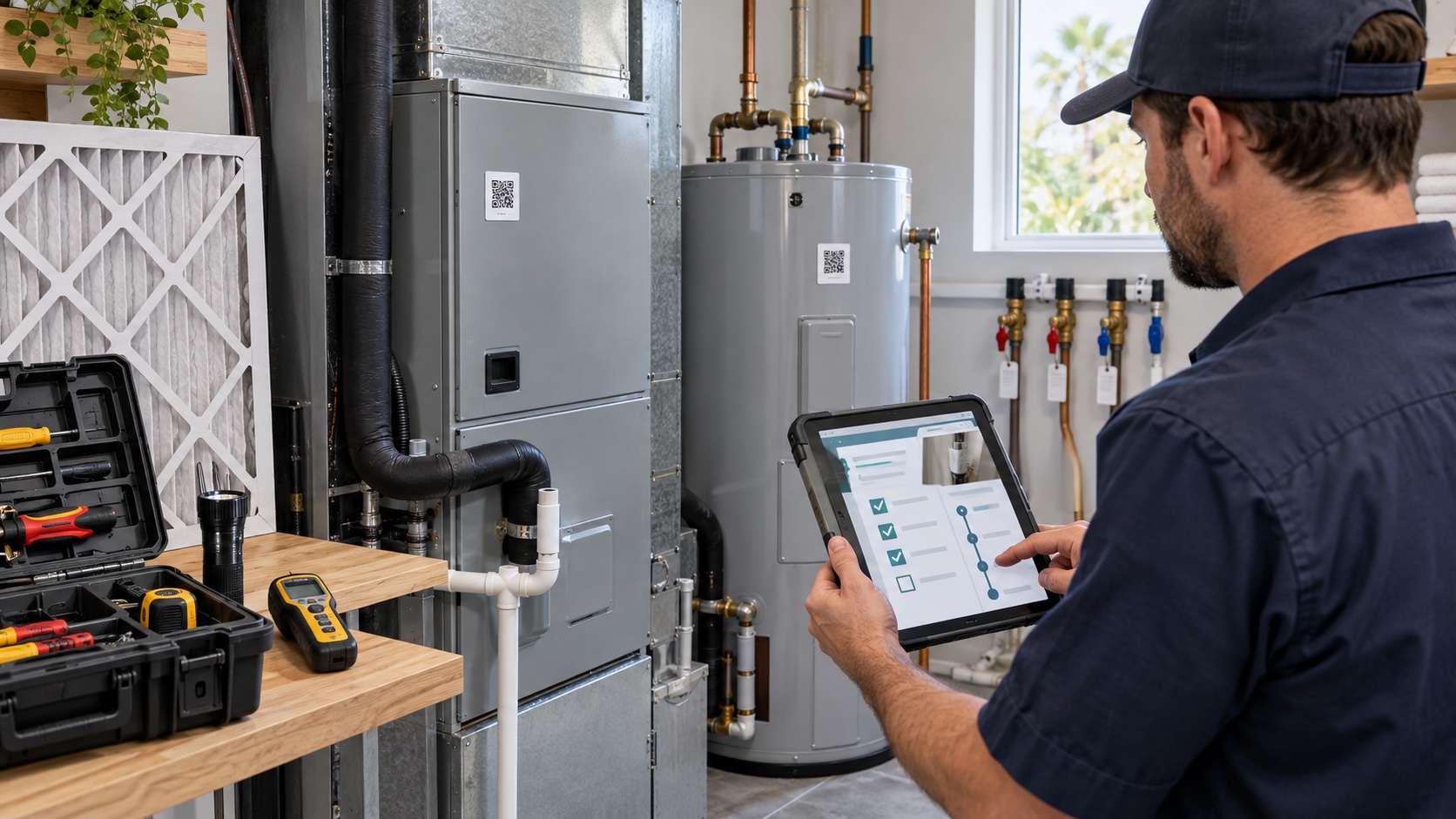
A vacation rental maintenance log is a centralized record of inspections, faults, repairs, safety checks, equipment details, vendor work, costs, and follow-up actions for a rental property. Unlike a generic maintenance checklist, the log proves what was inspected, what was found, who acted, what changed, and whether the issue was actually closed.
This guide explains how to build a practical maintenance record for one property or a portfolio. It focuses on documentation and handoffs rather than repeating a list of household maintenance tips.
What Is a Vacation Rental Maintenance Log?
A vacation rental maintenance log is the property’s operational history. Each entry connects a date and asset to an observation, action, responsible person, evidence, and next step. It may be kept in property-management software, a maintenance platform, a database, or a carefully controlled spreadsheet.
A useful log answers six questions quickly:
- What asset or area was inspected?
- What condition or problem was found?
- How urgent was it?
- Who completed or approved the work?
- What evidence shows the result?
- When is the next inspection or service due?
The maintenance log should not replace manufacturer instructions, professional inspections, permits, invoices, or legally required records. It should link to those documents and make them easier to retrieve.
Why a Log Is Different From a Checklist
A checklist describes what someone should examine. A log records what actually happened. “Check the smoke alarms” is a checklist item. “Tested the hallway smoke alarm using the device test function on September 28; alarm sounded; unit date label photographed; next action scheduled according to manufacturer instructions” is a maintenance record.
Both are useful, but they serve different purposes:
| Tool | Main purpose | Typical output |
|---|---|---|
| Checklist | Standardize an inspection | Pass, fail, not applicable, observation |
| Maintenance log | Create a property history | Dated record, evidence, responsibility, follow-up |
| Work order | Assign and control a repair | Owner, priority, due date, status, completion |
| Asset register | Identify equipment and documents | Model, serial number, location, warranty, manual |
| Incident record | Document an unexpected event | Timeline, impact, response, communication, outcome |
These records can live in one system, but do not collapse every purpose into an unstructured notes field.
Start With a Property and Asset Register
Before logging maintenance, identify what you maintain. Create one record for the property and separate records for important systems and equipment.
Property-level information
- Property name, address, time zone, and internal identifier.
- Owner, manager, primary technician, and emergency contacts.
- Main water, electricity, gas, and HVAC shutoff locations.
- Occupancy limits and relevant permit or license references.
- Insurance contact and policy document location.
- Waste, utility, building, and homeowners-association contacts where applicable.
Asset-level information
- Plain-language asset name and exact location.
- Manufacturer, model, serial number, and installation date if known.
- Manual, warranty, purchase receipt, and installer.
- Energy source, shutoff, filter, consumable, or replacement part.
- Service provider and emergency contact.
- Inspection or service requirement based on law, manufacturer guidance, insurer conditions, and professional advice.
- Current condition, last service, and next due action.
Use a stable asset ID such as “HVAC-01” or “LOCK-FRONT-01.” A small QR label can open the asset record, but it should not expose passwords, guest data, alarm codes, or sensitive building information to anyone who scans it.
Fields Every Maintenance Entry Should Include
Keep the form short enough that cleaners and technicians will use it, but structured enough to search later.
- Record ID: a unique reference that will not change.
- Property and asset: where the work occurred.
- Date and local time: when the issue was found and when work occurred.
- Source: cleaner, guest, owner, sensor, inspection, or vendor.
- Category: safety, plumbing, electrical, HVAC, access, appliance, structure, exterior, pest, or another controlled label.
- Observation: the objective condition, symptom, or test result.
- Priority: emergency, urgent before next arrival, routine, or monitor.
- Immediate control: action used to reduce risk, such as taking equipment out of service.
- Assigned owner: the person accountable for the next action.
- Due date: based on safety and operational impact.
- Work performed: diagnosis, parts, repair, adjustment, or replacement.
- Evidence: permitted photographs, video, test result, invoice, or service report.
- Verification: how the completed work was checked.
- Status: open, scheduled, waiting for parts, complete, or monitoring.
- Next due action: future inspection, service, or replacement review.
Avoid free-text labels that multiply into “AC,” “air con,” “air conditioner,” and “HVAC.” Controlled categories make trend analysis possible.
Separate Routine Work From Safety-Critical Records
A scuffed wall and a failed smoke alarm should not enter the same queue with the same priority. Define escalation rules before staff discover a problem.
Airbnb’s current safety requirements for homes state that hosts are responsible for maintaining a safe space, addressing known hazards, maintaining smoke and carbon monoxide alarms, and following applicable safety laws. The guidance identifies fire, electrical, appliance, mold, pest, structural, and other physical hazards as issues that may require action.
Example priority model
- Emergency: active fire, suspected gas or carbon monoxide event, flooding near electricity, structural danger, or another immediate threat. Contact emergency services and move people away from danger.
- Urgent before occupancy: failed entry lock, non-working required alarm, exposed wiring, no essential water service, serious sanitation issue, or unsafe appliance.
- Priority operational repair: equipment still usable but unreliable, active minor leak, unstable furniture, recurring drain problem, or failed advertised amenity.
- Routine: cosmetic damage, planned servicing, low-risk adjustment, or replacement that can be scheduled safely.
- Monitor: an observation that does not currently require repair but needs a dated recheck.
Local law, manufacturer requirements, and qualified professionals—not a blog—determine the correct safety response. Build local emergency numbers and shutoff instructions into the property record.
Build a Maintenance Workflow From Discovery to Closure
1. Capture the issue once
Create one record when a guest, cleaner, sensor, or inspection identifies a problem. Link later messages to that record instead of creating duplicates. Record the symptom without diagnosing beyond the reporter’s competence.
2. Triage before assigning
Assess guest safety, property damage, habitability, advertised amenities, and the next arrival. If the condition is unsafe, take the affected asset or property out of service until a qualified person clears it.
3. Assign one accountable owner
Several people may help, but one person should own the next step. The owner confirms access, approves spending, updates the guest or manager, and prevents the task from sitting between teams.
4. Document the work
The technician should record what was tested, what was found, what was changed, which parts were used, and whether a return visit is required. Attach the service report and invoice without exposing payment-card details or unrelated personal information.
5. Verify independently when risk is high
“Technician left” is not proof of closure. Verify the result with an appropriate test, inspection, or qualified sign-off. Safety-critical work may require permits or inspection by authorities.
6. Close and schedule the next action
Record the completion date, final condition, verifier, and next due action. If the repair is temporary, do not mark it complete; use a status such as “controlled—permanent repair pending.”
How to Handle Guest-Reported Maintenance
Connect the guest conversation to the maintenance record without copying more personal data than necessary. Capture the reported symptom, room, time, effect on the stay, troubleshooting already attempted, and permission or access arrangements.
Send simple, safe questions. Do not ask a guest to open electrical equipment, climb a ladder, move a heavy appliance, or perform a repair. Provide an estimated response time and explain any temporary alternative.
Guest message example: “Thank you for reporting the issue with the bedroom air conditioning. Please leave the unit switched off for now. Our technician is scheduled for the agreed access window, and I’ll update you here when the inspection is complete.”
When the issue affects a promised amenity, record the operational decision separately from the repair: relocation, refund, cancellation, temporary replacement, or no impact. This produces a cleaner history for future support questions and insurance review.
Photographs, Privacy, and Evidence Quality
Use photographs to show asset identity, overall location, close-up condition, completed repair, and model or date labels. Preserve the original files when they may matter to an insurance or damage claim.
Avoid photographing guest belongings, identification, messages, medication, documents, or people unless there is a clear lawful need and appropriate permission. Staff should not enter an occupied property solely to improve a record. Follow access laws, booking terms, and privacy rules.
For guest-caused damage, keep the maintenance record factual and build the financial claim separately. PainHost’s Airbnb damage claim evidence guide explains before-and-after photographs, timelines, estimates, receipts, and platform submission.
Practical Maintenance Log Examples
HVAC filter and comfort complaint
A guest reports weak airflow. The record links to HVAC-01, notes the room and time, and places the asset in “urgent assessment.” The technician photographs the filter condition, records the correct replacement, checks drainage and operation, then documents the post-service temperature and airflow test. The next service date follows manufacturer guidance and the property’s operating conditions—not a copied universal interval.
For connected controls, link the equipment record to the thermostat configuration. Our smart thermostat guide for vacation rentals covers temperature limits, guest controls, automations, and fallbacks.
Small leak with moisture risk
A cleaner photographs water below a vanity and closes the local shutoff if trained and safe to do so. The record identifies the affected area, source if confirmed, materials that became wet, plumber visit, drying action, and reinspection. The U.S. Environmental Protection Agency’s mold and moisture guidance emphasizes controlling moisture and acting quickly after leaks or spills.
Smart-lock battery warning
The lock record captures the device alert, battery replacement, test from both sides of the door, backup access check, and code-synchronization status. Do not place active codes in a general maintenance note. PainHost’s smart-lock management guide explains permissions, code lifecycle, backup access, and outage planning.
Smoke or carbon monoxide alarm check
Record the alarm location, device identifier, manufacturer date label, permitted test method, result, and next action. Airbnb advises hosts to maintain smoke and carbon monoxide alarms, test them regularly, and keep listing safety information accurate. Follow local requirements and manufacturer instructions for placement, testing, battery replacement, and device retirement.
How to Coordinate Vendors and Team Handoffs
A vendor should receive only the information needed to complete the job: property access window, asset, symptom, safety notes, authorized spending limit, guest-occupancy status, and contact person. Do not forward full reservation records or unnecessary guest data.
Require vendors to return:
- Arrival and completion time.
- Diagnosis and work performed.
- Parts installed or removed.
- Photos permitted by the access arrangement.
- Test or verification result.
- Remaining risk or follow-up work.
- Invoice and warranty information.
If you use a property-operations platform, configure required fields instead of relying on chat messages. The PainHost Breezeway review examines inspections, work orders, and maintenance coordination. Tool choice should follow the workflow, not replace it.
Spreadsheet, App, or Property-Management System?
A spreadsheet can work for one simple property if access is controlled, fields are standardized, attachments are stored reliably, and backups exist. It becomes fragile when multiple people edit simultaneously, photographs are scattered across messaging apps, or reminders depend on one person’s memory.
Evaluate a maintenance system by whether it supports:
- Separate properties, areas, and assets.
- Mobile issue capture and photo upload.
- Recurring inspections based on appropriate requirements.
- Priority, owner, due date, status, and escalation.
- Role-based access for cleaners, vendors, managers, and owners.
- Audit history showing who changed a record.
- Search, export, backup, and retention controls.
- Links to reservations without exposing unnecessary guest data.
- Cost and vendor reporting.
Before changing systems, export a complete copy and test whether attachments, dates, asset relationships, and audit history remain usable.
Use the Log to Prevent Repeat Failures
A log becomes valuable when the team reviews it. Each month or quarter, examine recurring categories, repeat assets, reopened work orders, emergency callouts, vendor return visits, downtime, and complaints linked to maintenance.
Useful questions include:
- Which assets generate repeated work?
- Which symptoms appear before a larger failure?
- Which repairs are repeatedly temporary?
- Which properties miss recurring inspections?
- Which vendor jobs require a second visit?
- Which guest issues could have been found during turnover?
- Which replacement parts or supplies should be stocked locally?
Do not turn a small dataset into a false prediction. Use patterns to ask better questions and schedule qualified inspections.
Maintenance Log Setup Checklist
- Create one property record with contacts, utilities, and emergency information.
- Build asset records for safety-critical and high-value equipment.
- Link manuals, warranties, receipts, and qualified service providers.
- Define controlled categories and priority levels.
- Create separate templates for inspections, work orders, and incidents.
- Assign one accountable owner to every open item.
- Set required evidence and verification fields.
- Define who can see guest information, access instructions, and costs.
- Base recurring work on law, manufacturer guidance, insurer conditions, and professional advice.
- Test the workflow with a leak, lock failure, and safety-device scenario.
- Export and back up the records.
- Review recurring issues and overdue actions on a regular schedule.
Frequently Asked Questions
What should be included in a vacation rental maintenance log?
Include the property and asset, date, source, objective observation, priority, assigned owner, due date, work performed, evidence, verification, status, cost documents, and next scheduled action.
How often should a vacation rental be inspected?
There is no universal interval for every property or asset. Use local law, permit conditions, manufacturer instructions, insurer requirements, qualified professional advice, property risk, climate, and operating intensity.
Can cleaners complete maintenance inspections?
Cleaners can report visible conditions and complete trained checklist items, but they should not diagnose or repair systems outside their competence. Define when an observation must be escalated to a qualified technician.
Is a spreadsheet enough for a maintenance log?
It can be enough for a simple operation if fields, permissions, attachments, reminders, and backups are reliable. A dedicated system may be more appropriate when properties, vendors, users, and recurring tasks increase.
How long should maintenance records be retained?
Retention depends on local law, tax rules, insurance terms, warranties, contracts, litigation risk, and the type of record. Obtain professional guidance and document a retention policy rather than deleting records ad hoc.
Should guest names appear in maintenance records?
Use the minimum personal information necessary. A reservation reference may be enough. Restrict access and avoid copying identification, payment data, private messages, or unrelated personal details into a maintenance system.
Final Recommendation
A dependable vacation rental maintenance log turns scattered observations into accountable property history. Start with stable asset records, structured entries, clear priorities, named owners, relevant evidence, and verified closure. Then review the log for repeat failures and missed handoffs. The goal is not to collect more notes; it is to make the next safe action obvious.
Use the record alongside appropriate insurance and operating procedures. PainHost’s short-term rental insurance checklist can help you organize coverage questions, while the Turno guide explains cleaning-team coordination between stays.

Artigos Relacionados




Sobre o Autor

0 Comentários